Notari: The AI Recording and Transcription App That Gives You the Most Freedom
October 24, 2026

Most AI recording tools expect you to adapt to them. Notari is built on a different idea: technology should expand your choices, not narrow them. Your workflow should remain yours—and it should be free to change as your needs change.
Ever felt boxed in by an AI recording app?
Buy hardware before you can even try it? → Start with Notari for free. Hardware is optional.
Forced into the most expensive plan? → Start free, upgrade as you go, or top up credits when needed.
Stuck with fixed summary templates? → Write your own prompts and shape every summary your way.
No idea which AI model you are using? → Notari shows each model by name and lets you choose.
Easy to put content in, hard to get it out? → Export in multiple formats or connect your existing tools.
Notari believes people should be in full control of their tools. From recording and transcription to summaries, Q&A, and export, you choose the device, workflow, plan, payment option, and where your data lives.
Record Your Way, With or Without N1 Pro
Quick conversations: Open the app on your phone, iPad, or computer and start recording.
Online meetings: Record meeting audio directly on your computer. No meeting bot required.
Interviews, classes, and live events: Keep using your usual recorder, then upload a supported audio file and turn it into useful knowledge with AI.
Frequent recording, one-tap capture, call recording, or offline recording: Add Notari N1 Pro when it makes sense. Recordings sync automatically to the app, ready for AI processing.
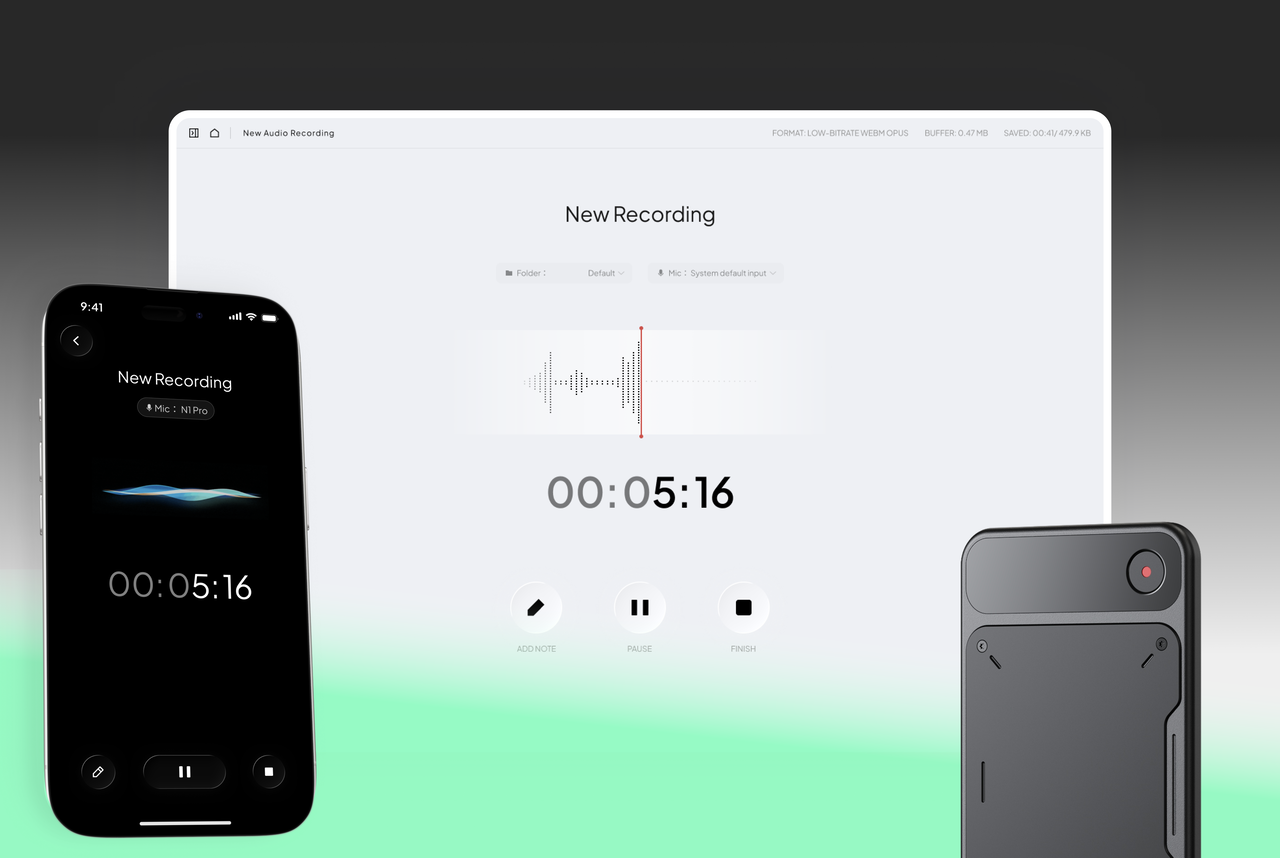
N1 Pro gives frequent users a smoother, one-tap way to capture high-quality audio. It makes recording phone calls and face-to-face conversations easier, but it is not a ticket to "unlock Notari." Without it, you can still record, upload, transcribe, summarize, and ask questions. New users can try the free plan first, then decide whether N1 Pro fits their workflow.
Hardware is an upgrade, not a prerequisite.
App, Web, Hardware- Everything Stays Together
Notari brings the app, desktop and web tools, N1 Pro, imported audio, and Write Note into one note system. Your starting point can change without forcing you to move your content. Review, summarize, ask questions, archive, search, and reuse it all in the same place.
Record or import → Transcribe → Review and correct → Summarize or ask questions with AI → Archive, search, and reuse
Meeting notes, customer interviews, course material, and personal ideas stop being isolated audio files. They become reusable notes and, over time, your own knowledge base.
Transcribe and Summarize on Your Terms
- Choose a transcription mode: Standard works well for everyday ideas and simple discussions. For important meetings, customer interviews, or terminology-heavy content, choose Advanced. Decide recording by recording, based on the accuracy you need and the credit cost.
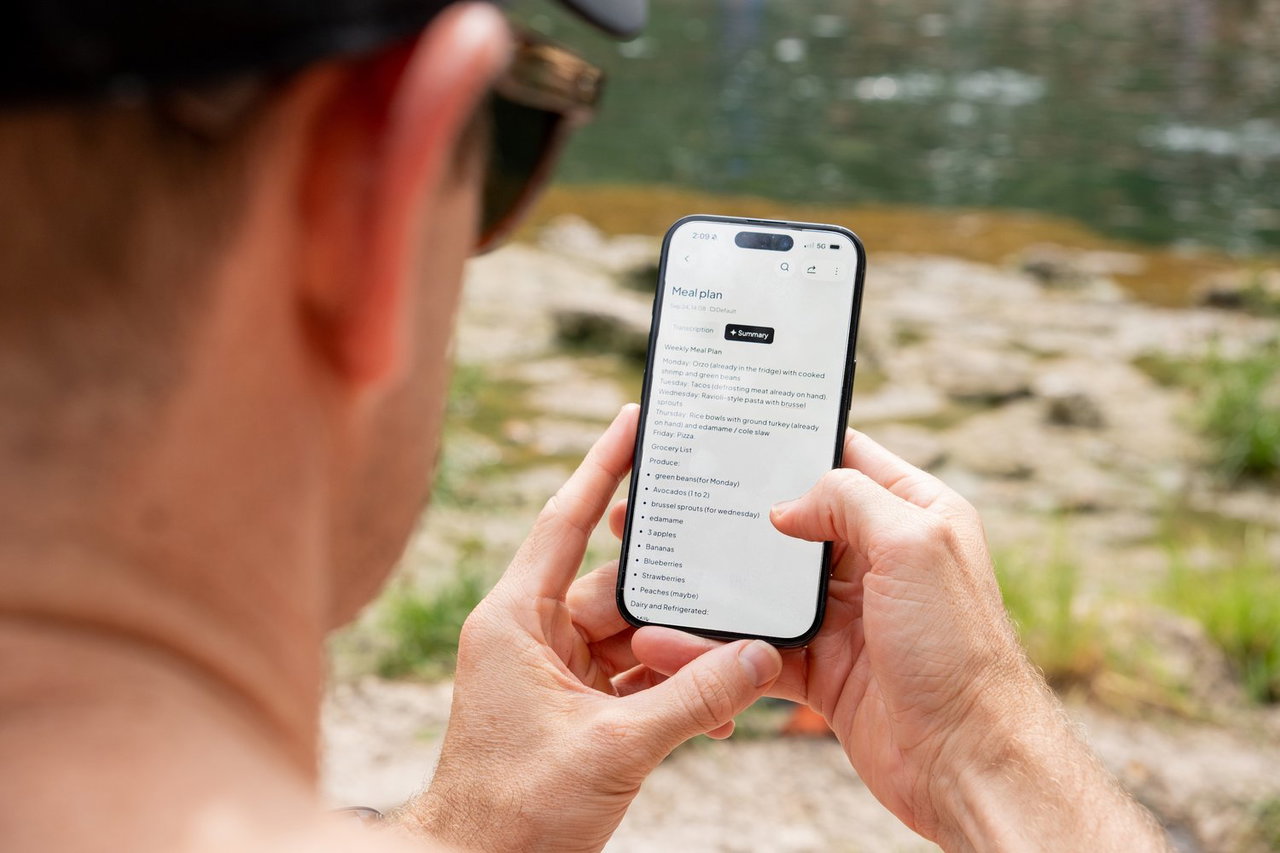
- Review before summarizing: Check the transcript first and fix names, amounts, dates, product names, technical terms, or task owners. That keeps transcription errors out of conclusions and action items.
- Choose your model: Model names are clearly shown, so you know exactly what you are using and can pick the one whose tone works best for you.
- Use your own prompts: Write your instructions or let AI generate a summary prompt. Turn the same recording into meeting decisions, action items, interview insights, step-by-step instructions, or a follow-up email without being boxed into a template.
Start Free, Upgrade When You Need More
Notari does not bundle hardware, a software subscription, and AI usage into one package.
- Free: Record, import files, transcribe, get a limited number of AI summaries and Q&A interactions, and export files, with no N1 Pro required. It is enough to try the core workflow with short recordings and light use before paying.
- Paid plans: When your usage grows, move to the tier that fits. Get more credits, broader model access, more AI summaries and Q&A, plus advanced features such as integrations and automatic export.
- One-time credit packs: Need extra capacity for a busy period? Buy credits when you need them instead of keeping a higher subscription for an occasional spike.
- N1 Pro Founder Edition: Buy N1 Pro now, and recordings captured with it qualify for unlimited Standard transcription for life. Advanced transcription and AI features still use their respective credits. This benefit does not require a paid subscription, so you can choose your hardware and software plan separately.
Keep Your Content or Take It With You
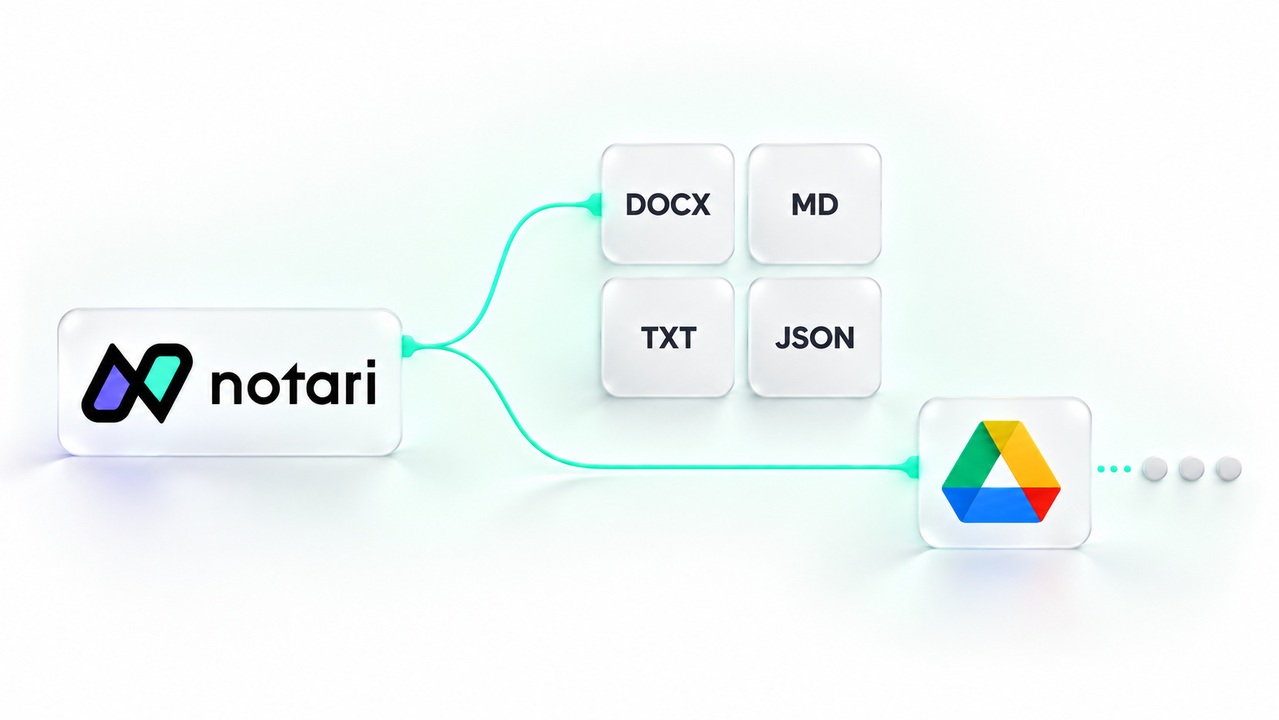
Notari supports file import, export, and download. On the web, you can currently download transcripts and the summaries you choose to include as Word, Markdown, TXT, or JSON files. Archive them, back them up, or keep working in another tool.
Upgraded plans also support integrations such as Google Drive and automatic export, making it easy to fit Notari into your team's existing workflow. Notari can be one part of how knowledge moves, not where information gets stuck.
On privacy, Notari's policy is clear: without your separate, explicit, and informed consent, your content will not be used to train general-purpose or foundation AI models.
An AI Note Taker Built Around You
You decide what to record with, where to process it, which transcription mode and AI model to use, which plan to choose, and where your files end up. Start with the free app or web experience. Add N1 Pro when you want dedicated recording hardware. Upgrade or top up only when you need more capacity.
No forced hardware bundle. No lock-in to one app, one AI workflow, one payment model, or one place for your data. That is how Notari defines the most flexible AI Voice Recorder & Transcription App.
Ready to record your way with Notari?
Try the Notari Web for free, or learn more about the N1 Pro . Choose the recording setup that works for you.