

Notari Plans & Credits Guide

Welcome to Notari.
This guide will help you purchase a plan and Credits. We offer the most comprehensive and free range of plans, so you can choose the one that best fits your actual usage needs.
1. Purchase a Plan
Step 1: Open Plan & Usage
On the My Notes screen, tap the menu in the upper-left corner.
Then tap Details on the account card to open Plan & Usage.
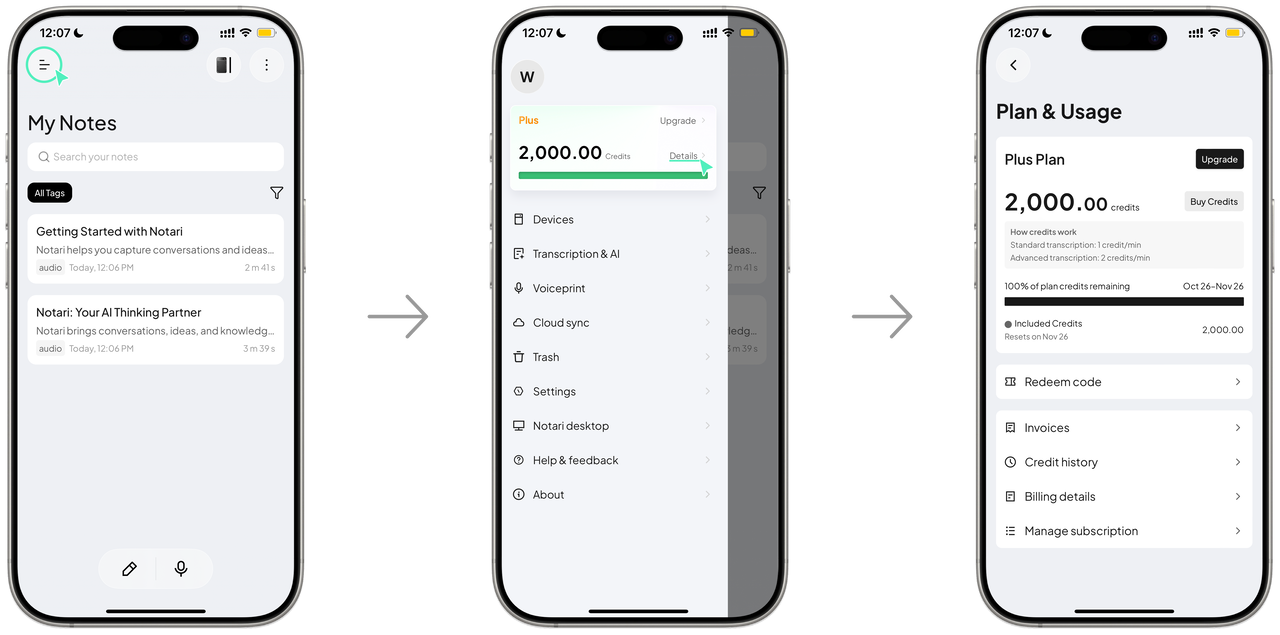
Step 2: Open the Plans Page
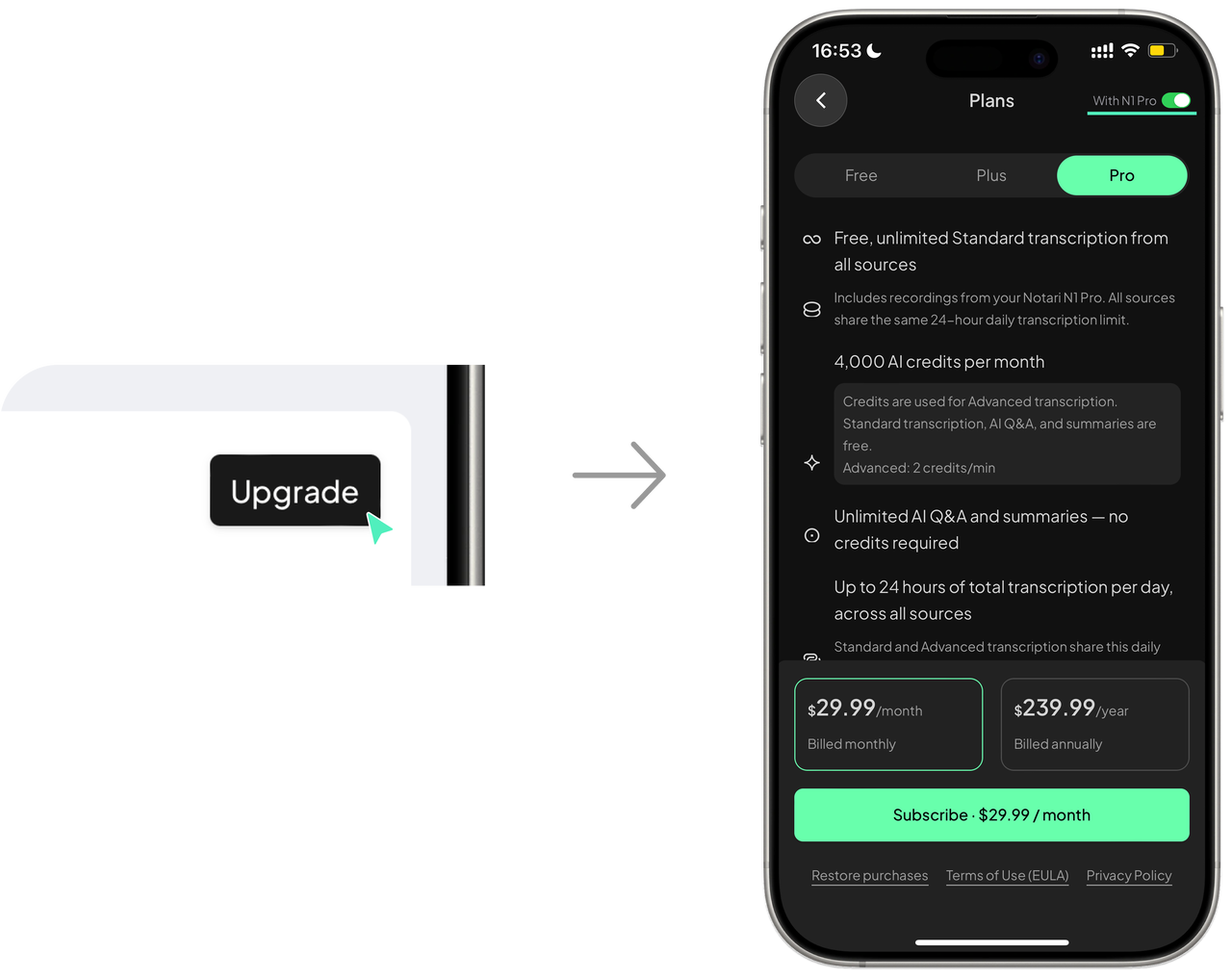
Tap Upgrade to open Plans.
Select the plan you want and choose monthly or annual billing.
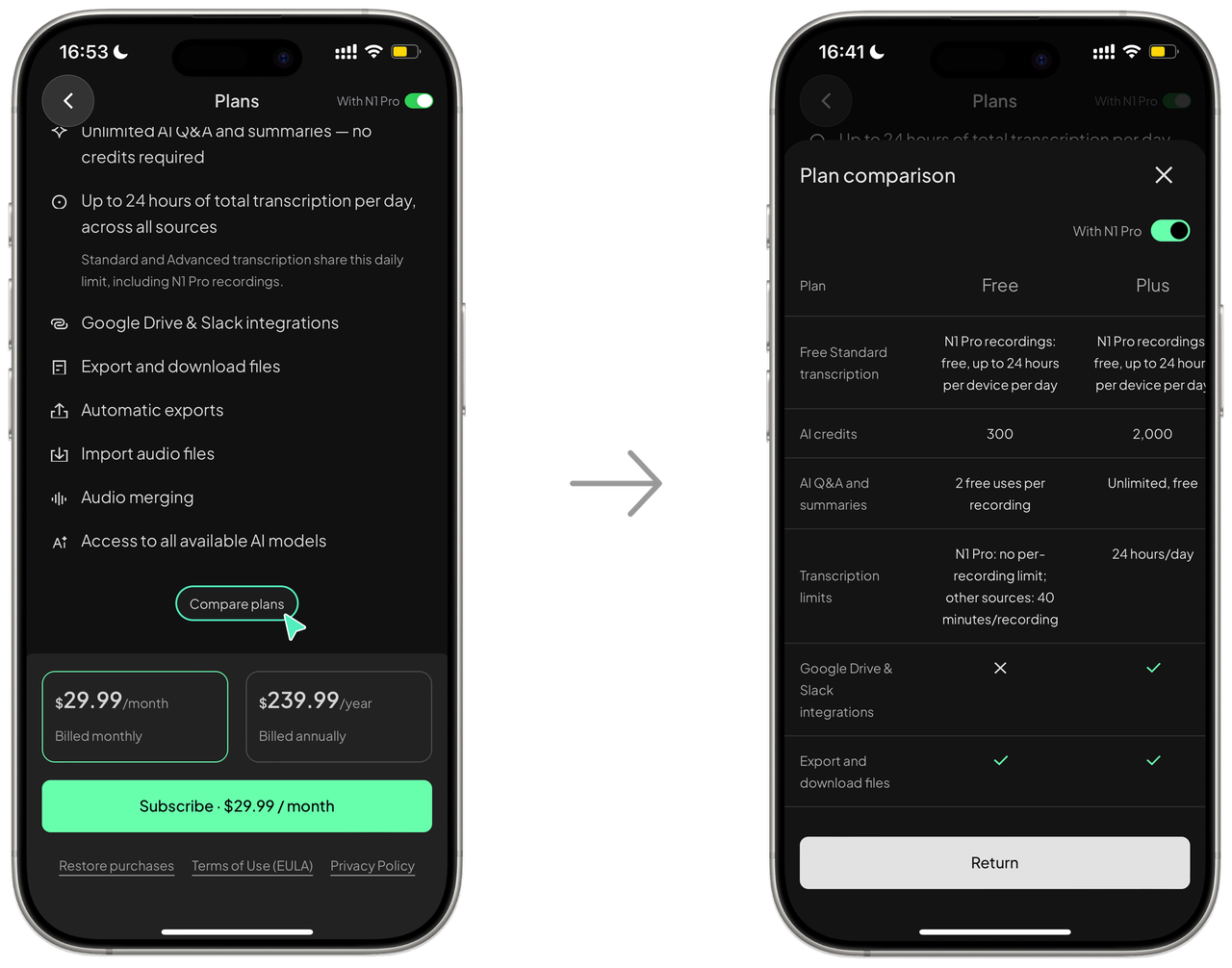
If you use an N1 Pro,turn on With N1 Pro in the upper-right corner to view all benefits.
Tap Compare plans for a clear plan comparison.
Step 3: Complete Your Purchase
Tap Subscribe, then verify and complete payment as prompted (Apple Pay supported).
After purchase, return to Plan & Usage to view your current plan.

2. Purchase Credits
Step 1: Open the Credit Purchase Page
Go to Plan & Usage and tap Buy Credits.
On the Choose a credit pack page, select the amount of Credit you want to purchase.
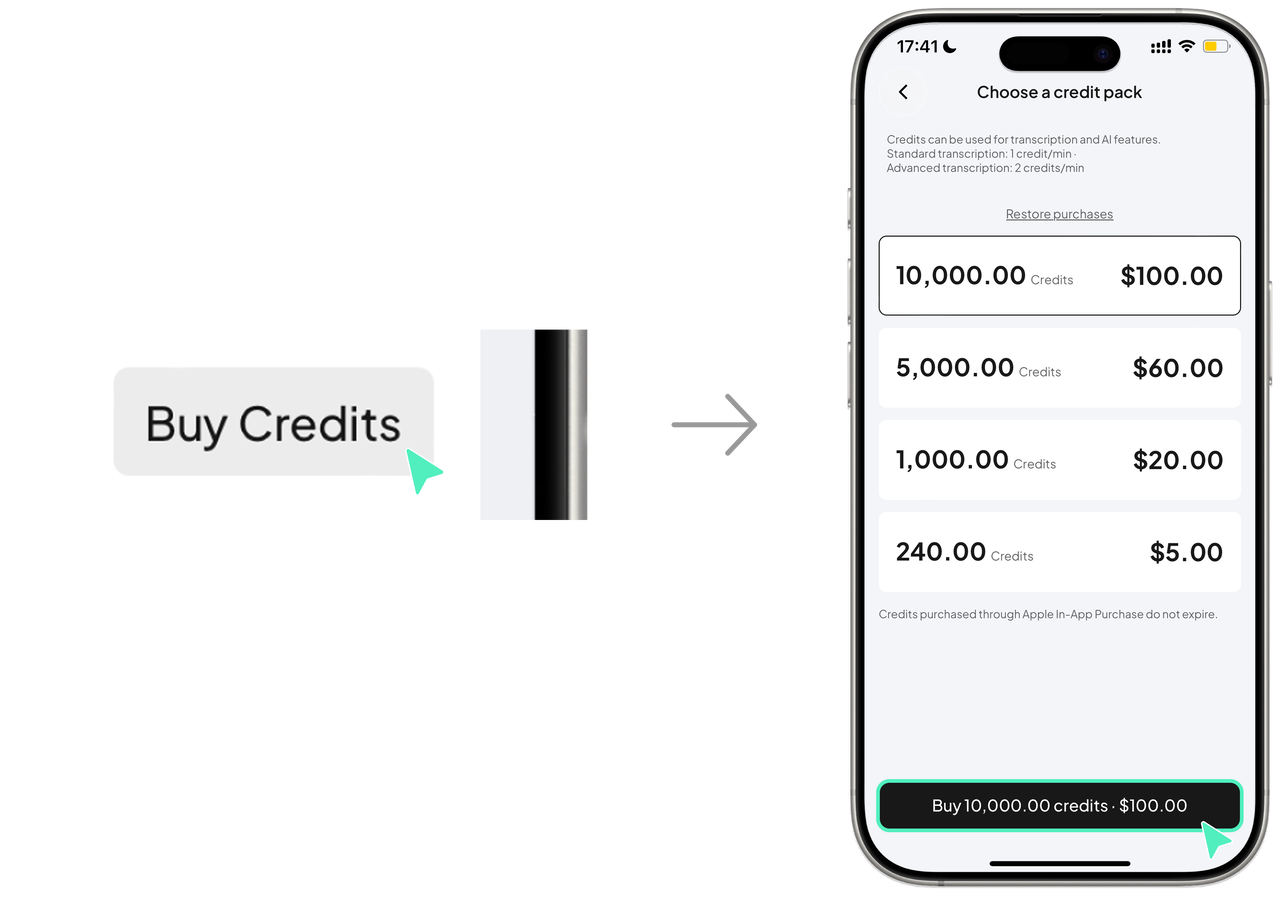
Step 2: Complete Payment
Tap Buy Credits at the bottom, then confirm the quantity and amount.
Follow the prompts to verify and complete payment (Apple Pay supported).
After purchase, your Credit balance will update.
Tip:Credits purchased through Apple In-App Purchase do not expire.